

Welcome to Apple Mac Man, where we specialize in optimizing your creative space. While we’re renowned for home recording studio setups, a powerful Mac is also a fantastic platform for gaming. Consequently, a high-quality controller is essential. The PlayStation 5’s DualSense controller is a standout choice, offering incredible features that work surprisingly well with macOS. This guide will help you choose the right PS5 controller to elevate your gaming sessions.
Why Choose a PS5 Controller for Your Mac?
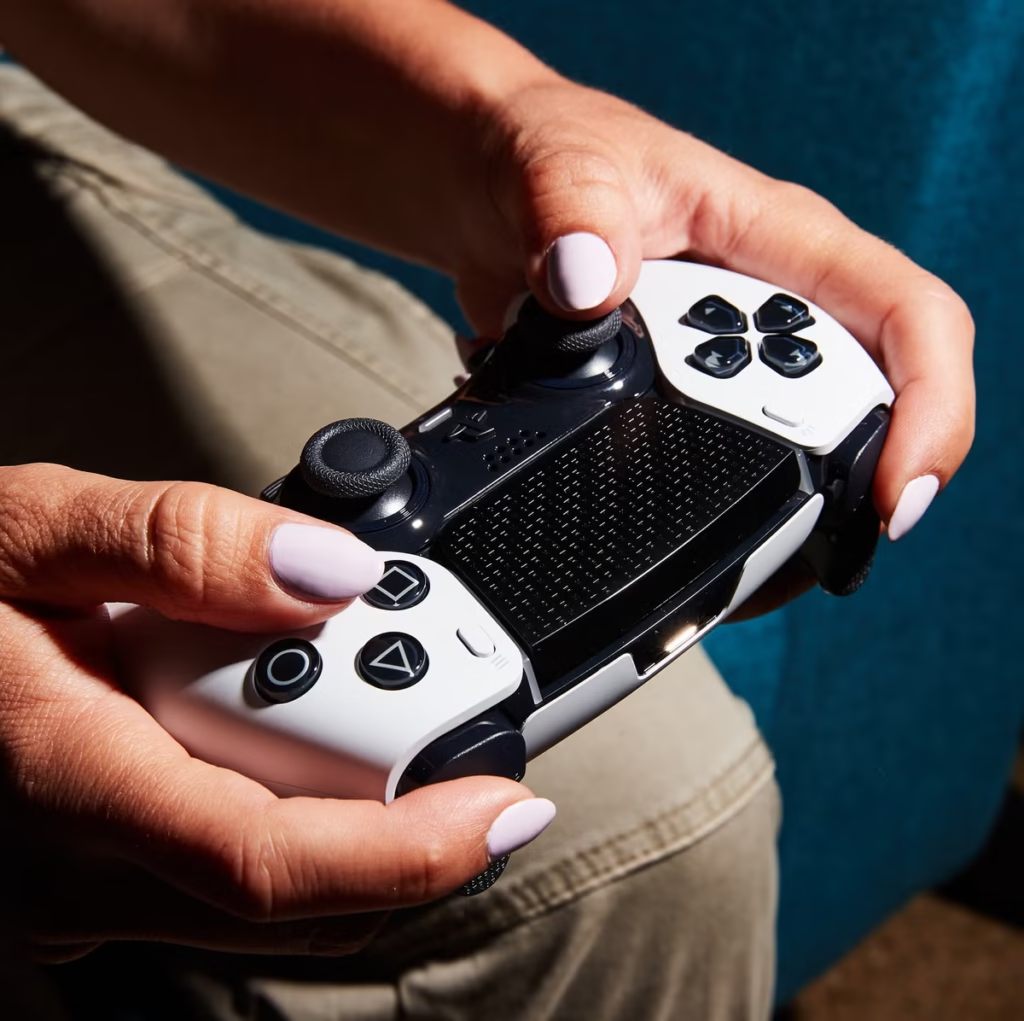
The PS5 DualSense controller isn’t just for consoles. In fact, its advanced feature set makes it a premium choice for Mac gaming and even creative control. Thanks to widespread developer support, many Steam and native Mac games now offer full compatibility. Moreover, its ergonomic design ensures comfort during long play sessions, a crucial factor whether you’re gaming or using it as a midi controller in your home studio.
Key Features That Set the DualSense Apart
The DualSense controller brings next-generation technology to your fingertips. Its most notable features include:
- Adaptive Triggers: These offer dynamic resistance, simulating tension for actions like drawing a bowstring.
- Haptic Feedback: This provides nuanced vibrations that convey in-game textures and sensations.
- Built-in Microphone & Speaker: Ideal for voice chat without a headset.
- Motion Sensing: Great for racing games or for creative applications.
Critical Specifications to Consider Before You Buy
Before you make your PS5 controller purchase, comparing the core specifications is vital. Here’s a quick comparison of the primary options available.
| Specification | Sony DualSense (Standard) | Sony DualSense Edge (Pro) | Third-Party Alternatives |
|---|---|---|---|
| Connectivity | Bluetooth 5.1, USB-C | Bluetooth 5.1, USB-C | Typically Bluetooth/USB |
| Battery Life | ~12-15 hours | ~8-10 hours | Varies by model |
| Key Features | Adaptive Triggers, Haptic Feedback | All Standard features + Remapping, Swappable Parts | Often basic rumble, varied designs |
| Best For | Most Mac gamers, general use | Competitive gamers who need customization | Gamers on a strict budget |
Wired vs. Wireless: Connectivity on Mac
For a seamless experience, understanding connectivity is key. The DualSense connects via Bluetooth, making setup on your Mac straightforward. For uninterrupted play, however, a wired USB-C connection is often preferable. This method eliminates input lag and keeps the controller charged. Therefore, ensure your Mac setup has an accessible USB-C port or a reliable hub.

Optimizing Your PS5 Controller for macOS
After your DualSense purchase, proper configuration unlocks its full potential. First, pair it via System Settings > Bluetooth. Next, for Steam games, enable PlayStation controller support in Steam’s settings. For advanced features like trigger effect customization, consider third-party software like DS4Windows (via CrossOver or Whisky). Additionally, resources like Polygon’s gaming guides often provide excellent platform-specific setup tips.
Where to Buy Your PS5 Controller
You can find genuine Sony controllers at major electronics retailers, Amazon, and directly from Sony. Always purchase from authorized sellers to avoid counterfeit products. For a deep dive on controller tech and reviews, The Verge is a superb external resource. Remember, investing in an authentic controller guarantees compatibility and longevity for your Mac gaming setup.
Pairing with Your Home Studio Ecosystem
Interestingly, a PS5 controller can transcend gaming. Many digital audio workstations (DAWs) can map controller inputs for transport control or instrument triggers. This creative repurposing makes it a versatile addition to your creative workflow. Explore guides on MusicRadar for innovative ways to integrate controllers into music production.
Final Recommendations for Your Purchase
Ultimately, the standard Sony DualSense is the best PS5 controller for Mac for most users. It delivers an exceptional balance of innovative features, comfort, and battery life. For the serious gamer who values customization, the DualSense Edge is a compelling, albeit pricier, option. Whichever you choose, you’re adding a powerful, versatile tool to your digital lifestyle—perfect for unwinding after a long session in your home recording studio.


Leave a comment